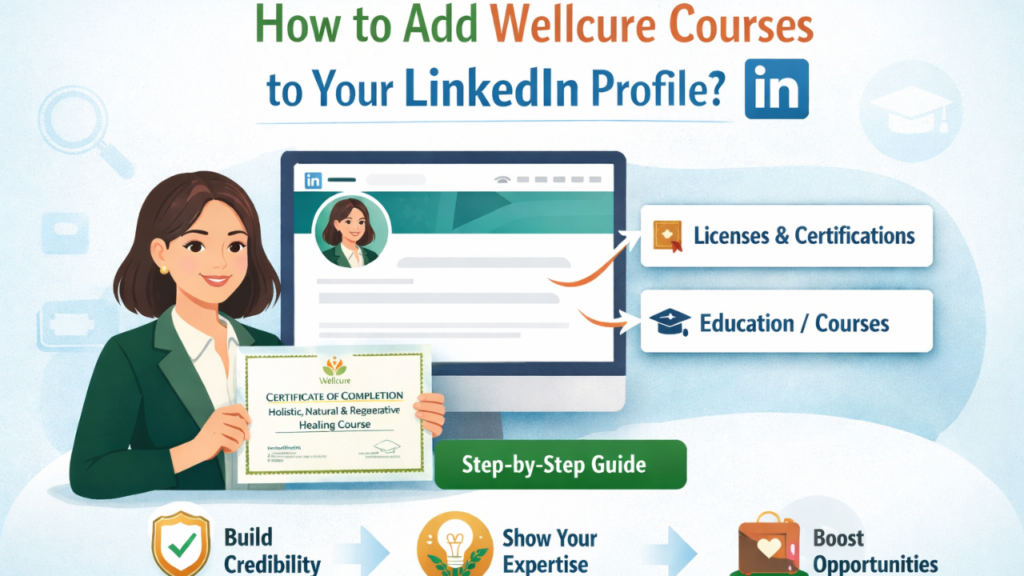
Continuous learning matters. And showcasing it on LinkedIn helps build credibility, trust, and professional visibility.
If you’ve completed a Wellcure certification like the “Holistic, Natural & Regenerative Healing – 21-Day Certificate Course”, you can (and should) add it to your LinkedIn profile.
Here’s how to do it the right way.
Adding your Wellcure course to LinkedIn helps you:
LinkedIn is often the first place people check before trusting a professional.
You can add Wellcure programs in two important sections:
Open LinkedIn on desktop or mobile and go to Your Profile.
For example, if you completed the HNR course, fill it like this:
Name:
Holistic, Natural & Regenerative Healing – 21-Day Certificate Course
Issuing Organization:
Wellcure
Issue Date:
(Select the month and year you completed the course)
Expiration Date:
Leave unchecked (this certification does not expire)
Credential ID:
(Optional – only if mentioned on your certificate)
Credential URL:
You can add the course page link:
https://elearning.wellcure.com/Holistic-Natural-and-Regenerative-Healing-Live-Certification-Course
Click Save.
You can also highlight your learning journey further:
Description:
Completed a 21-day certification covering holistic healing principles, disease stages, nutrition, gut health, fasting, lifestyle therapies, and regenerative practices.
Any Wellcure course that provides a certificate of completion can be added, including:
Each course strengthens your professional profile.
Learning is valuable — showing it matters too.
Adding Wellcure certifications to your LinkedIn profile:
If you’ve earned the certificate, make sure it’s visible.
TAGS
Continuous learning matters. And showcasing it on LinkedIn helps build credibility, trust, and professional visibility.
If you’ve completed a Wellcure certification like the “Holistic, Natural & Regenerative Healing – 21-Day Certificate Course”, you can (and should) add it to your LinkedIn profile.
Here’s how to do it the right way.
Adding your Wellcure course to LinkedIn helps you:
LinkedIn is often the first place people check before trusting a professional.
You can add Wellcure programs in two important sections:
Open LinkedIn on desktop or mobile and go to Your Profile.
For example, if you completed the HNR course, fill it like this:
Name:
Holistic, Natural & Regenerative Healing – 21-Day Certificate Course
Issuing Organization:
Wellcure
Issue Date:
(Select the month and year you completed the course)
Expiration Date:
Leave unchecked (this certification does not expire)
Credential ID:
(Optional – only if mentioned on your certificate)
Credential URL:
You can add the course page link:
https://elearning.wellcure.com/Holistic-Natural-and-Regenerative-Healing-Live-Certification-Course
Click Save.
You can also highlight your learning journey further:
Description:
Completed a 21-day certification covering holistic healing principles, disease stages, nutrition, gut health, fasting, lifestyle therapies, and regenerative practices.
Any Wellcure course that provides a certificate of completion can be added, including:
Each course strengthens your professional profile.
Learning is valuable — showing it matters too.
Adding Wellcure certifications to your LinkedIn profile:
If you’ve earned the certificate, make sure it’s visible.
TAGS
Added to cart
Check out our shop to see what's available
Loading coupons...